The lights go out. Your phone still works, but the Wi-Fi router has gone dark. You may want enough backup power to charge a phone, get some work done, or keep a refrigerator running—not to power every outlet in the apartment.
A solar generator for an apartment can help with those smaller jobs. Despite its name, it is mainly a portable battery power station. Optional solar panels can recharge that battery when they receive sufficient outdoor sunlight. The station does not replace utility service to the whole apartment, and a shaded balcony may contribute little useful solar energy.
The short answer: Start by choosing the few devices you actually need. Decide whether a wall-charged battery is enough. Consider adding portable solar panels only if your building allows them, your outdoor space gets usable sunlight, and the panels and cables can be positioned safely. You can have a useful backup battery without installing any solar panels at all.
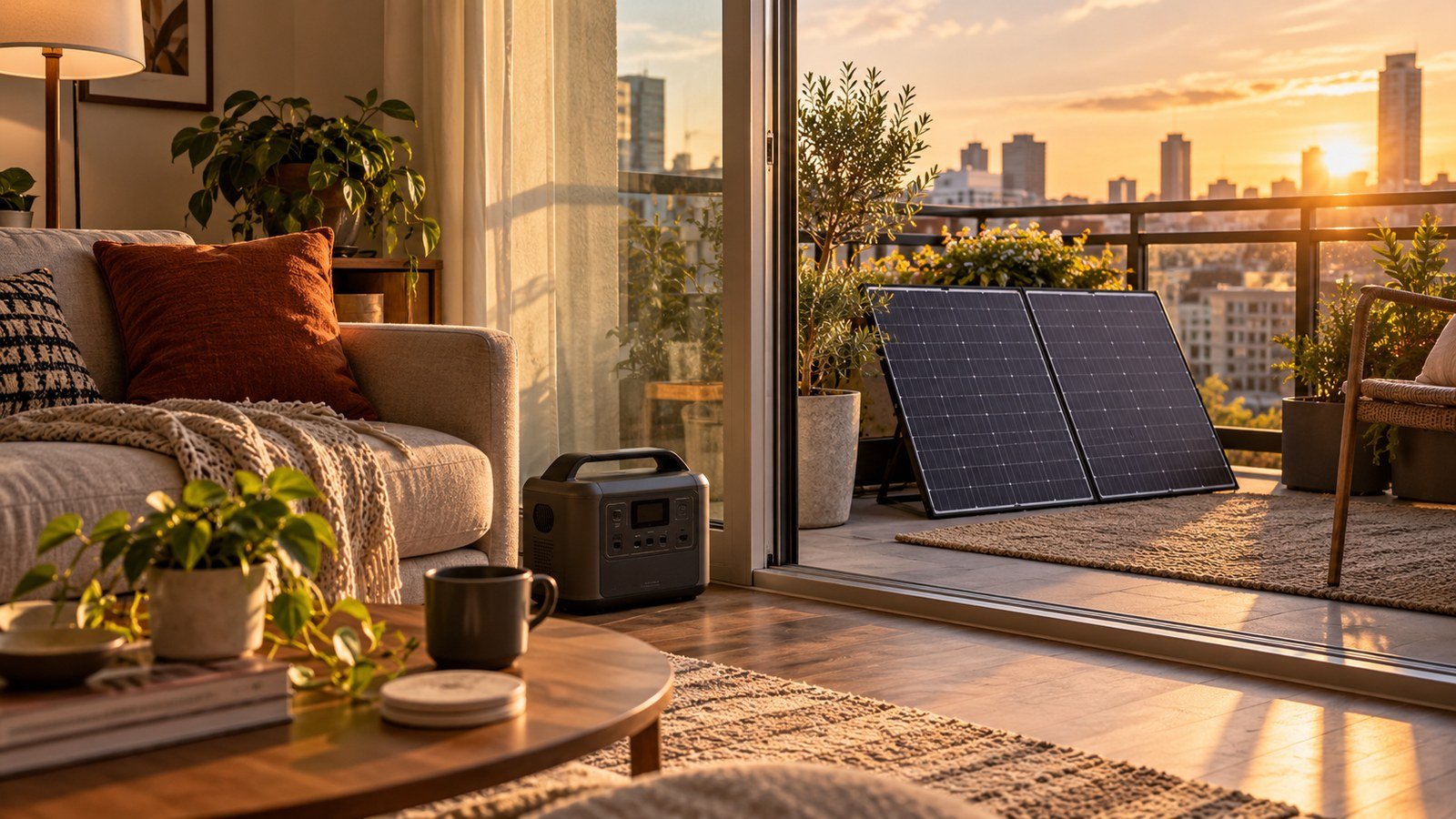
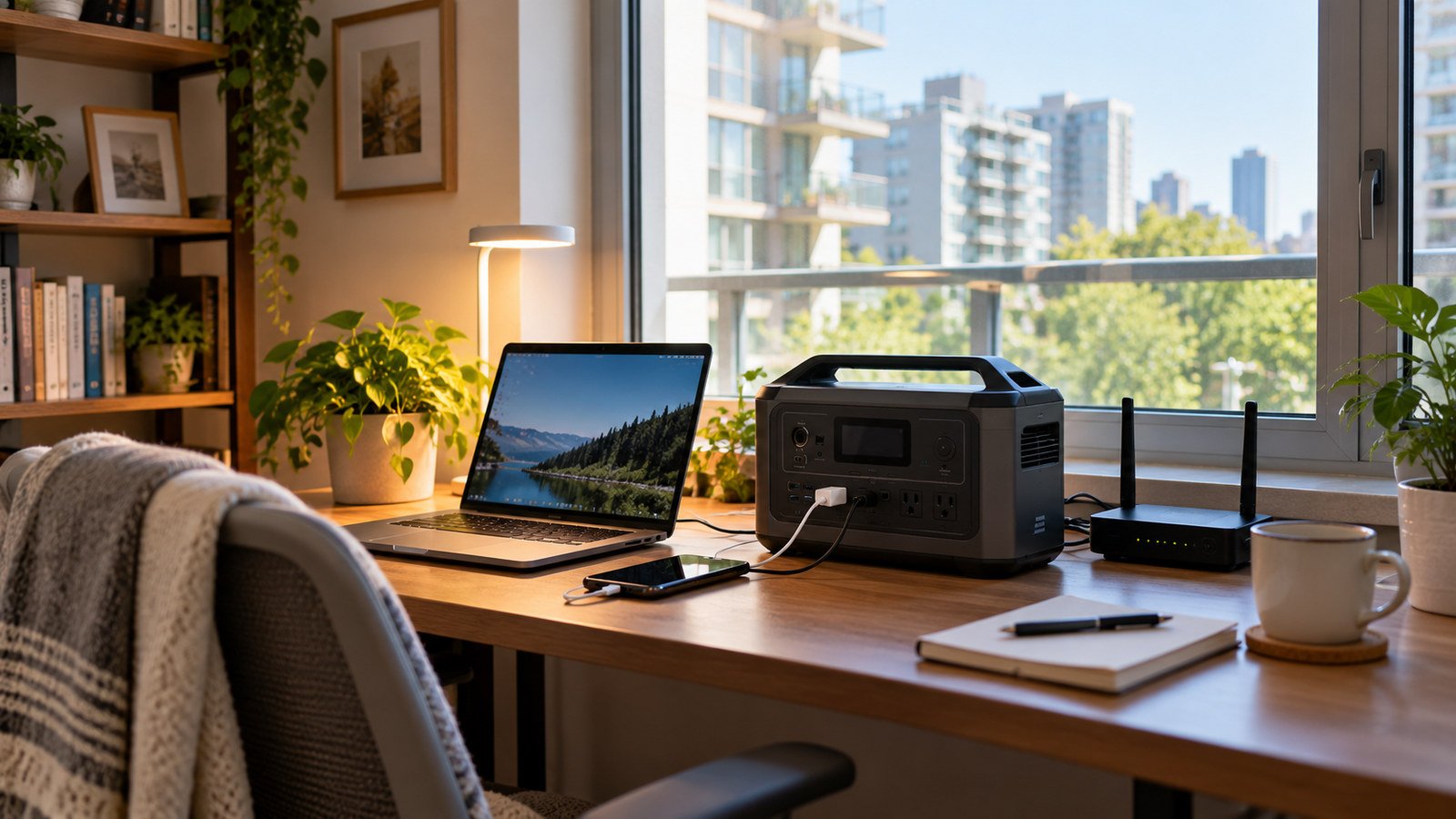
AI-generated conceptual scene. No panel-to-battery connection or safe cable route is demonstrated. Building permission, weather exposure, wind restraint, compatible equipment and manufacturer instructions must be checked before actual use.
Start with your apartment, not the solar-panel specifications
Picture a small balcony with another balcony above it. Even on a clear afternoon, the floor might stay in shade. A folding solar panel cannot collect the sunlight that never reaches it. A wall-charged portable power station may be the better purchase for that apartment.
Before comparing products, answer three questions:
- What really needs power? For many households, that is phones, a laptop, a few LED lights, or internet equipment—not every appliance.
- Where would solar panels actually sit? Look for direct outdoor sunlight, enough clear floor space, building permission, and protection from wind. A sunny view is not the same as sunlight reaching a panel.
- Could you use them safely? A power station belongs in a location approved by its manufacturer; a balcony panel needs compatible connections and a protected cable route that does not obstruct doors or exits. If that arrangement is not possible, skip the solar panels.
For an overall home battery budget, see How Much Backup Power Does an Apartment Actually Need?.
What an apartment “solar generator” actually is
A portable setup has two parts: a battery-powered station with USB and, commonly, AC outlets; and an optional portable solar panel connected to the station’s rated DC solar input. The devices you want to run plug directly into the station, not into apartment wall sockets.
That is different from grid-tied balcony solar, where a grid-interactive microinverter supplies electricity to a building circuit under jurisdiction-specific rules (for one regulatory example, see Germany’s balcony-solar overview). A conventional grid-tied system ordinarily stops delivering AC to the grid during a blackout; it does not automatically become emergency backup power. An approved, professionally engineered islanded solar-plus-storage system is a separate case. Sunlit PV panels may still carry dangerous DC voltage even when grid AC is disconnected. See the U.S. Department of Energy’s solar resilience explanation, Germany’s regulator guidance, and the Ontario PV electrical-hazards alert.
Never backfeed a wall outlet. Connecting the AC output of a portable power station to an apartment receptacle, electrical panel, or branch wiring can energize circuits unexpectedly and create electrocution and fire hazards. Plug individual devices into the station’s outlets instead. See Government of Canada’s power-outage guidance.
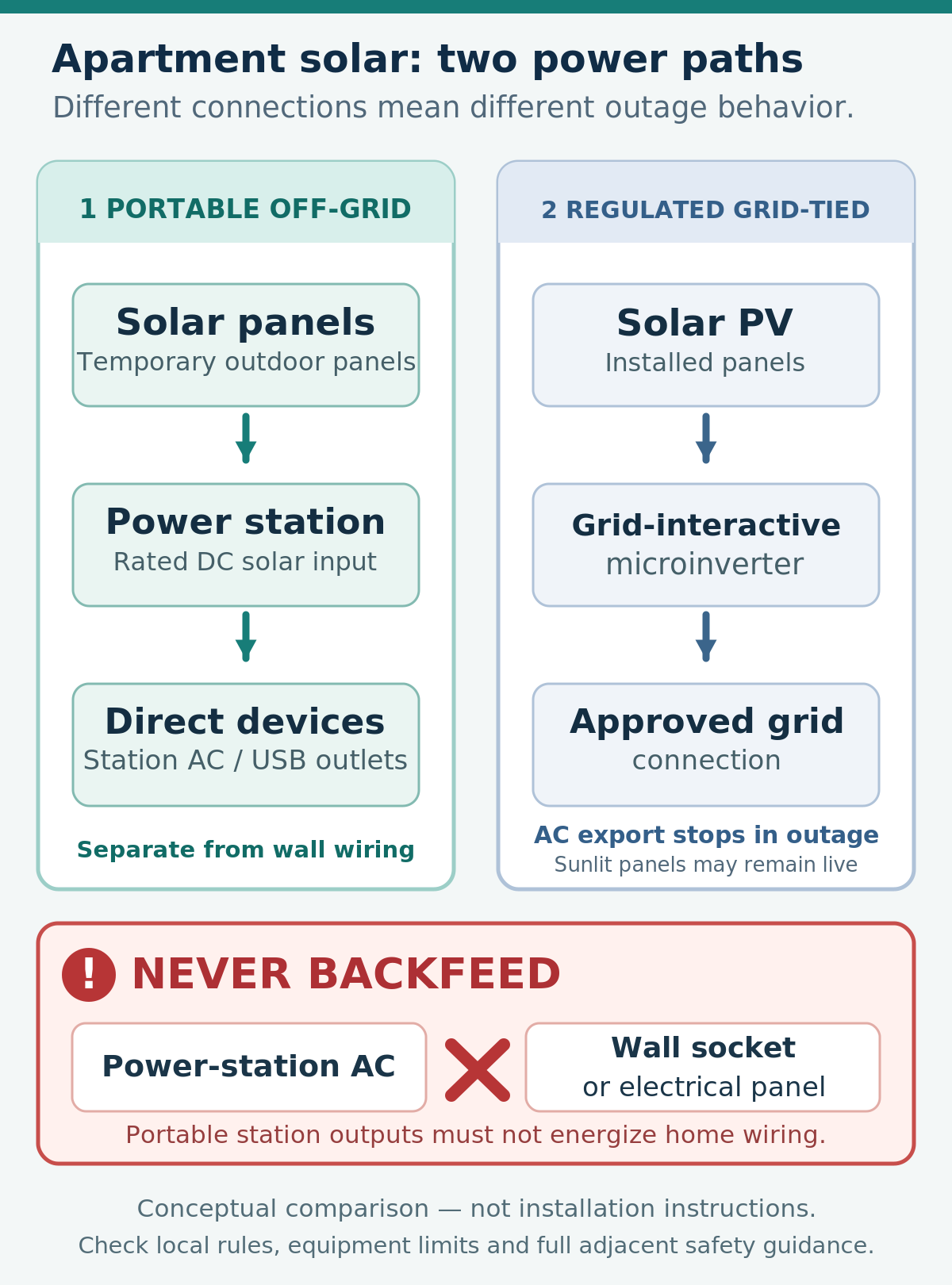
- Portable off-grid arrangement — permitted setups only: Portable solar panel on a balcony or terrace → compatible cable → rated DC solar input on a portable power station (battery and AC inverter) → station AC/USB outlets and direct cords → individual essential appliances such as a refrigerator, router or phone. The system is isolated from building wiring; deployment still depends on building permission, stable supports, wind protection and manufacturer instructions.
- Improvised backfeeding — dangerous and strictly prohibited: Never connect portable power-station AC inverter output, including through an AC extension cord, to an apartment wall socket or building wiring. This presents electrocution and fire hazards.
- Regulated grid-tied plug-in PV — separate category: Balcony PV panel → DC cable → certified grid-interactive microinverter → locally permitted, utility/code-approved grid connection. Mounting and connection are subject to local rules. Standard anti-islanding stops AC export during grid loss; sunlit panels can remain electrically live. Approved islanded solar-plus-storage backup is a separately engineered case.
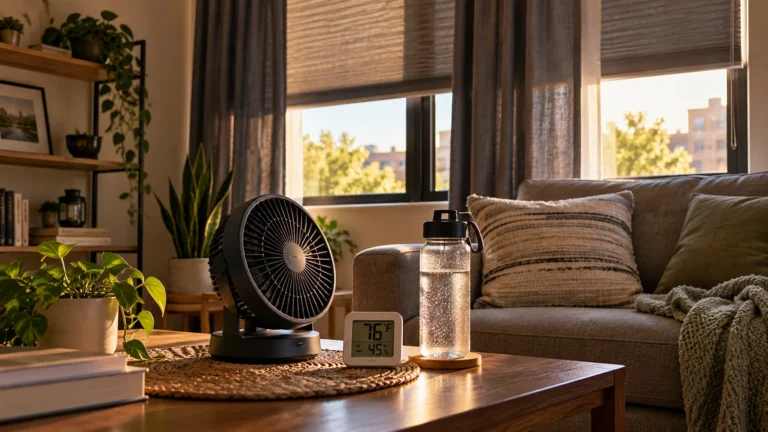
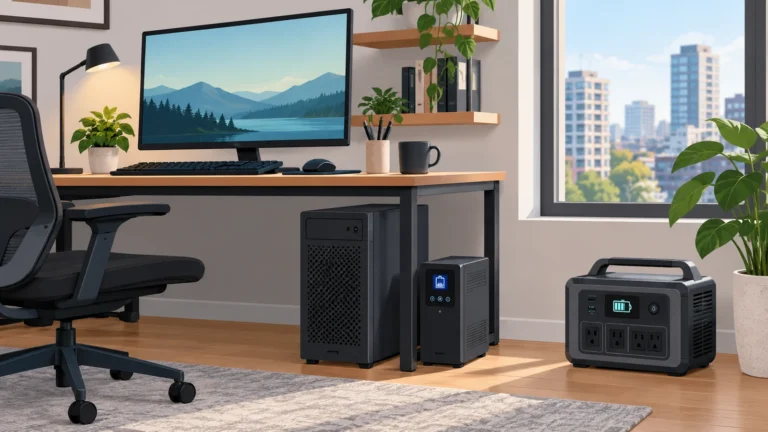
The equipment photographs in this guide are illustrative, not evidence of a tested or approved installation. Actual placement, connections, wind protection and cable routing must satisfy equipment instructions and building rules.
What can a portable power station realistically run?
It helps to think in terms of jobs, not an impressive battery number. A battery can be well suited to one essential device and inadequate for an entire apartment.
| What you want to keep working | Practical expectation |
|---|---|
| Phones and small USB devices | Usually among the easiest priorities. Compatible direct-USB outputs avoid running an AC inverter just to charge a small device. |
| Laptop | Often practical, especially with compatible USB-C charging. Actual draw changes with workload and charging. |
| Wi-Fi router and fibre terminal / modem | Potentially useful for remote work, but every device in your internet chain needs power. Keeping your router lit does not guarantee that the upstream internet service remains available. |
| LED lights | A small lighting plan can extend battery usefulness. Match the lamp and output port to the way you plan to use them. |
| Refrigerator | Possible only if the station can handle the specific compressor’s startup demand as well as its ongoing load. Runtime varies with duty cycle, temperature and door openings. |
For perspective, a hypothetical 1,056 Wh battery station under the assumptions detailed below could run an isolated 15 W router/fibre-terminal load for about 32 hours, or a compact refrigerator model for about 29 hours—not both for those durations at once. These are calculations, not hands-on test results or guaranteed runtimes. A refrigerator must also be able to start on the station’s inverter. For refrigerator selection, startup details and food-safety guidance, read Refrigerator Battery Backup: Is It Worth It for an Apartment?.
Medical equipment requires a separate, device-specific plan. Never assume that a consumer power station will safely support life-sustaining equipment, such as a ventilator or oxygen concentrator, without explicit manufacturer compatibility information and guidance from a qualified clinical provider. A consumer runtime estimate is not a clinical backup-power plan.
Five things to check before putting solar panels on a balcony
1. Permission: Review your lease, condominium rules, and applicable local requirements. Do not assume a temporary panel is automatically permitted. Never hang a panel outside a railing or install an unapproved grid-tied connection.
2. Sunlight: Watch where sunlight actually reaches the proposed panel location during the hours you would use it. Nearby towers, the balcony above you, and the railing itself can cut useful exposure substantially. Cloudy and winter days change the result.
3. Wind and stability: Folding panels can behave like sails. A panel must remain on stable, protected support entirely inside the balcony boundary. If you cannot keep it secure in the expected conditions, don’t put it out.
4. Cable passage: Keep the station in a manufacturer-approved indoor location. Only use a solar cable, connector and pass-through route compatible with the specific equipment and building requirements. Do not pinch a cable in a closing door or window, damage seals, expose unsuitable connectors to weather, or obstruct an emergency exit. Ordinary flat cable or weather-stripping is not proof of safety; if a protected route is unavailable, treat the panels as unsuitable for that space.
5. Battery conditions: Keep the station away from heat and clear of exits, with ventilation and storage as the manufacturer specifies. The original Anker SOLIX C1000 used as an example later has a charging-temperature range of 0–40°C; other products may differ. Follow the exact model’s instructions rather than treating this as a universal range. See Health Canada’s lithium-ion battery safety guidance.
If even one of these checks fails, you can still prepare for an outage using a wall-charged battery and a realistic plan to recharge it elsewhere if the outage lasts longer.
Two limits to understand: battery size and actual sunshine
A power station’s watt-hours (Wh) describe how much energy it stores. Its watts (W) describe how much power it can supply at a moment. Those are different limits: a large battery can still be unsuitable for an appliance with a high startup load.
Solar panels add a third factor: how much energy actually gets into the battery that day. Their printed watt rating is not a promise of that daily result.
Here’s one deliberately simple, illustrative example:
A 100 W folding panel receiving the equivalent of three hours of strong sun, with a 0.65 overall derating factor for real-world losses, might add approximately 195 Wh to the battery in a day. That’s a fraction of the nominal 1,056 Wh stored-energy rating of the station in our example—not a daily full recharge or an assurance of 195 Wh delivered to AC devices.
Heavy shade may contribute so little that you should budget zero dependable solar replenishment for outage planning. Diffuse daylight can still produce some electricity; zero is a conservative planning assumption, not a claim that shaded panels physically produce none.
The other easy-to-miss issue is that AC outputs consume power even when the connected load is small. Under our hypothetical station model, keeping the AC inverter on all day consumes an assumed 288 Wh just in inverter idle power. Turning it off can conserve energy, but it also turns off any AC-powered Wi-Fi or other equipment. This is a real service tradeoff, not a free runtime improvement.
The fuller assumptions and estimates are in the optional technical notes at the end. You do not need to calculate every loss to decide whether your balcony is suitable.
Three apartment situations—and the sensible next move
No sunny balcony or outdoor space
Best starting point: A standalone power station charged from a wall socket, sized to your essential loads. A capacity in the 500–1,000 Wh range is a possible starting class for some smaller load plans—not a universal recommendation. Consider access to a safe off-site wall or vehicle charging option during an extended outage. Buying solar panels without a workable outdoor location is unlikely to solve the problem.
A permitted balcony with useful direct sun
Possible approach: A temporary 100–200 W folding panel paired with a compatible battery station; a roughly 1,000 Wh class station is only an illustrative configuration. Check direct sun, wind, support, safe cable routing and the exact charging-input limits before purchasing. Never let an illustration substitute for the building’s permission or the manufacturer instructions.
A ground-floor apartment or small home with a private terrace
Potentially more room to work: Some households may consider 200–400 W of portable panels and a 1,000–2,000 Wh class station, but only after checking placement, anchoring, equipment compatibility and realistic demand. More outdoor space does not eliminate safety requirements or guarantee enough sun.
The same decision applies to all three: size the battery around the essential devices first, and treat panels as a possible way to recharge it rather than a replacement for stored backup energy.
A practical equipment checklist without the spec-sheet overload
Before buying, confirm these points from the exact model’s documentation:
- Stored energy and usable output: Nominal battery Wh is not the same as usable Wh through the outputs. Conversion losses, reserves and inverter idle draw matter.
- Running power and startup capacity: Confirm the inverter can start your particular refrigerator or other appliance. A watt-hour figure alone cannot answer this.
- Compatible solar input: Check the station’s maximum input voltage, current, power, connector and the proposed panel’s open-circuit voltage—including its increase in cold conditions. Do not pair panels from watt ratings alone.
- Electrical safety and battery type: Verify appropriate product/charger safety certification for your jurisdiction. LiFePO4 is an option, but its exact rated cycle life and safe operating limits are model-specific; 3,000+ cycles is not guaranteed for every product.
- Storage, mobility and recharging: Check the station’s actual weight against the abilities of anyone expected to move it, and whether the manufacturer’s wall-charging time suits your needs. A 0–80% fast-charge target under 70 minutes is an optional preference, not a safety requirement.
For example, the original Anker SOLIX C1000/A1761 cited in this article has 1,056 Wh nominal capacity, an XT60 solar-input connection, and a rated 600 W maximum solar input. Its official support overview and A1761 manual specify input-voltage/current windows that need to be checked for the exact region and panel arrangement. The rated 600 W is not achievable at every voltage in the window, and no particular real panel/cable/balcony combination has been verified by this article. Do not substitute specifications from the newer C1000 Gen 2.
The takeaway
A practical solar generator for apartments starts with a few clearly chosen jobs: keep a phone charged, preserve work on a laptop, maintain selected lights, or power a compatible refrigerator for a limited time. The battery is what supplies those devices during a blackout. A folding solar panel might help you replenish it—but only where direct outdoor sunlight, building rules and safe setup conditions make that realistic.
Your next action: Write down the two or three devices you would most want working tomorrow. Check their actual power needs, then look at your outdoor space before buying panels. If you don’t have a safe, sunny place for them, start with a wall-charged station and a recharge plan instead.
Frequently asked questions
Can I charge a power station using solar panels behind an apartment window?
You may get some output, but glazing, coatings, tint and the sun’s angle can greatly reduce the light reaching the panel. Indoor window placement is not a dependable substitute for direct outdoor sunlight; plan around little or no useful recharge unless you have measured otherwise.
Are balcony solar panels allowed in condos and rentals?
That depends on your lease, building management, local rules and the kind of system. Portable panels charging a separate battery are not the same as regulated grid-tied plug-in balcony PV. No panel should hang beyond the balcony or interfere with exits, and a portable station must never backfeed an apartment outlet.
Could a solar generator run my refrigerator?
Possibly, but only if its inverter supports the refrigerator’s actual compressor startup and ongoing load. The approximately 28.6-hour result in our optional model is illustrative, not a guaranteed real-world test or food-safety determination. See the refrigerator backup guide for the appliance-specific checks.
What happens on cloudy or winter days?
Expect lower and less predictable solar replenishment. Shade, shorter days, lower sun angles, snow and panel placement all matter. Do not rely on sunny-day yields as guaranteed blackout backup.
Do I need solar panels at all?
No. The station is already a rechargeable battery with outputs for compatible devices. It can be charged from an available wall outlet or from an appropriately supported vehicle charging method. Without useful solar exposure, a wall-charged power station is often the simpler apartment option.
Optional technical notes: assumptions and estimates
Optional technical notes: illustrative calculations and source limits
These optional notes make the examples auditable. They describe calculations and assumptions, not independent product testing.
Capacity and output assumptions
The worked model uses a 1,056 Wh nominal battery (matching the original C1000’s nominal capacity), 90% assumed battery-side usability = 950.4 Wh, 85% AC conversion efficiency, 92% DC charging efficiency and 12 W inverter idle draw whenever AC is enabled. The 90% allowance, conversion efficiencies and idle draw are planning assumptions, not measured C1000 characteristics or a documented 10% BMS reserve. A standalone runtime cannot be added to another standalone runtime to predict simultaneous operation.
The simple constant-load relation is: estimated hours ≈ assumed usable battery-side energy (Wh) ÷ total battery-side power draw (W). AC power draw in these examples includes the modeled conversion efficiency and, when enabled, the 12 W inverter idle draw. DC loads use the separate 92% assumption.
| Illustrative standalone device | Usage assumption / delivered daily energy | Battery-side energy for that schedule | Modeled standalone runtime |
|---|---|---|---|
| Smartphone charging | Four illustrative phone-charge sessions totaling ~60 Wh/day via USB (15 W representative charging draw) | ~65.2 Wh/day | ~58.3 hours at a hypothetical fixed 15 W continuous USB load; not a phone battery-life claim |
| Router plus fibre ONT | 15 W AC continuously / 360 Wh/day | ~711.5 Wh/day including 24 h AC idle | ~32.1 hours |
| LED lamp | 10 W AC for 6 h / 60 Wh/day | ~70.6 Wh/day additional battery energy if the inverter is already on | ~40.0 hours if operated alone, including its inverter idle draw |
| Laptop | 45 W via USB-C PD for 6 h / 270 Wh/day | ~293.5 Wh/day | ~19.4 hours of active use at that fixed modeled load |
| Compact refrigerator | Compressor 60 W when on, 30% duty / ~432 Wh/day AC | ~796.2 Wh/day including 24 h AC idle | ~28.6 hours only if compressor startup is supported |
For the refrigerator, the battery-side average draw is approximately (60 W × 0.30 ÷ 0.85) + 12 W, giving the approximate 28.6-hour standalone result from 950.4 Wh. Ambient temperature, door openings, cycling behavior and startup compatibility can materially change it. These values do not certify refrigerator food safety or medical-device backup.
The router’s 24-hour idle draw is counted in its row. The LED’s daily incremental draw assumes that inverter overhead is already counted elsewhere, while its standalone runtime includes that overhead. Combining devices requires a single shared-inverter schedule, not a sum of their independent runtimes. For multi-device planning, see the apartment backup-power sizing guide.
Solar harvest assumptions
For illustrative battery-side solar replenishment, multiply rated panel watts × peak-equivalent direct-sun hours × an overall derating factor. The example uses 0.65 for combined real-world solar/charging losses; it is not a measured constant for every location or setup.
| Illustrative sunlight condition | Peak-equivalent sun hours | 100 W panel: estimated Wh/day stored to battery | 200 W panel: estimated Wh/day stored to battery |
|---|---|---|---|
| Heavy overcast / full shade (conservative planning baseline) | 0 | 0 | 0 |
| Partial sun / significant shading | 1 | 65 | 130 |
| Clear direct-sun balcony example | 3 | 195 | 390 |
| Unobstructed outdoor sun example | 5 | 325 | 650 |
The 0 Wh row is a conservative reliability budget, not a claim that diffuse light produces no electricity. These solar numbers estimate energy stored into the battery, not energy available at AC outputs after further losses. Daily ratios do not promise uninterrupted runtime because the timing of sunlight, battery starting charge and device use matters.
Manufacturer solar-input detail
The following specifications refer to the original Anker SOLIX C1000/A1761 model and the cited manufacturer documentation; check exact region and revision before using them with a real panel.
| Solar-input property | Manufacturer documented example |
|---|---|
| Connector | XT60 |
| Low-voltage solar window | 11–32 V; maximum 10 A |
| Higher-voltage solar window | 32–60 V; maximum 12.5 A |
| Overall solar input rating | 600 W maximum; not available at all input voltages |
| Charge-temperature example for original C1000 | 0–40°C |
At 32 V and 12.5 A, an arithmetic ceiling is only 400 W before other constraints; 600 W is not the output anywhere within that entire voltage window. The panel’s cold-weather open-circuit voltage must not exceed the station’s maximum rated DC input voltage, and current, connector, polarity and cabling compatibility also require checking. Nothing in this worked example establishes permission or a safe design for a specific apartment installation.